2012年11月8日 星期四

Windows CE 6 有支援SD 2.0嗎?

在早期的原生的Platform Builder 中的確是沒有支援SD 2.0的規格,不過在2009年12月推出的R2 Upgrade 的套件中就將SDHC Driver 放進來了. 將原來SD 1.0只支援4GB的限制,提升至SD 2.0的32GB的size.

Download Windows CE 6.0 R2 Upgrade download

升級完成後,我們來看看程式碼吧!
在Source code 裡找到程式片段 看起來是有個flag會去check目前的SD卡是SD 1.0 or SD 2.0, 
所以Driver 是可以向下相容SD 1.0啦!

最後,如何將Driver 加入至Windows CE 6.0 Image裡呢,有二個方法
1.可以PB加入SD Bus Driver元件然後 Rebuild Image


或是
2.是直接加入環境變數IMGSDBUS2=1,然後ReBuild Image.

接下來就拿SD Card 來測試一下吧!

2012年10月26日 星期五

RDP8 可支援 WES 7 / POSReady 7


10/23 就可以從Microsoft ECE website 下載
下載網址

RDP8 對於媒體串流的改善如下:
1.支援多種影音格式及播放軟體:Silverlight、Flash、QuickTime和HTML 5.
2.降低頻寬的需求: 約減少90% (如下圖)
3.自動偵測網路頻寬以達最佳化
4.針對WAN上的媒體播放使用UDP格式來傳輸.


RDP 7.1 與 RDP 8效能比較影片
影片來源: Microsoft Showcase website

Windows Embedded 8 Standard Release Preview is coming

很快的Microsoft Windows Embedded Standard 8 又出一版本Release Preview
本次新增的部份只有三項 大部份都是Bugs的修正

1.Activation
  • Online Activation is now enabled for Windows Embedded 8 Standard Release Preview images.

    When you use a Windows Embedded 8 Standard Release Preview product key, your Standard 8 image now attempts to automatically activate the OS during the device startup. Your device must be connected to the Internet during this process in order to activate your OS.
2.USB Filter
  • USB Filter has been removed from Windows Embedded 8 Standard Release Preview 

    The USB Filter feature is no longer available.
3.Documentation
  • Documentation is available for Dynamic Dependency Analyzer (DDA) 

    You can now find help for Dynamic Dependency Analyzer (DDA) in the topic Dynamic Dependency Analyzer (DDA) Technical Reference in the Standard 8 Help.

  • A new lab exercise is available for creating images without Windows Embedded brand elements

    You can find the new lab in the topic Remove Windows Embedded Brand Elements From Your OS in the Standard 8 Help.

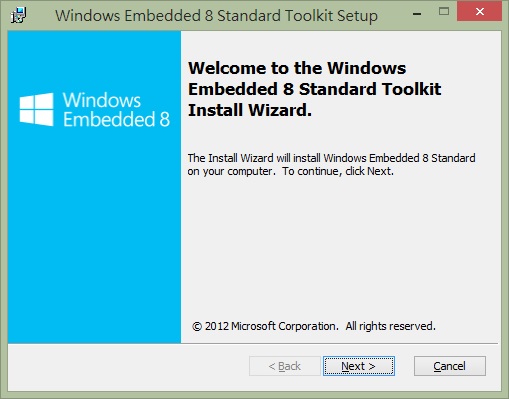
Toolkit 安裝過程圖片已有有點不同了

 如果選擇全部安裝則需要約8.8G的空間才行喔!

2012年10月1日 星期一

製作Windows CE 的BIOSLoader 開機工具磁片


在 Windows CE作業系統中除了建立Image之外,還有一項工作就是開啟CE Image重要工程的Bootloader,在Windows CE 之中 系統內建二種Bootloader為 LoadCEPC 與 BIOSLoader.
有人會問這二項有什麼差異呢? 我以下列這張圖來說明


接著我們來實作BIOSLoader 吧,製作Bootloader 的檔案都在你的系統中,請根據下部的步驟來操作:
  1.  執行MakeImageDisk.exe 路徑於 C:\Program Files (x86)\Microsoft Platform Builder\7.00\cepb\utilities目錄.(本需要有Floppy device)
  2. 按下Oepn 後,選擇C:\WINCE700\platform\CEPC\src\bootloader\biosloader\diskimages目錄下的SetupDisk.144


3按下Start 開啟製作BIOSLOADER磁片
4接著拿著你的磁片開始來格式化你的CF Card or DOM
   ※格式化時請勿加上 參數 /s   "Format /s <drive> "

5.格式化完畢後,請執行Mkdisk c: 
 6.完成後 將你的Nk.bin 拷至c: 後,移除磁片就可以開機測試了.

2012年8月22日 星期三

.Net Framework 4.0 on POSReady 2009

 在安裝.Net Framework 4.0於POSReady 2009上需要特別的注意.
 如果你是在安裝好POSReady 2009就要直接安裝.Net Framework 4.0 套件時只會得到下列的訊息..... 什麼裝不起來. @_@


所以我們在安裝.Net Framework 4.0之前,尚還需要安裝Windows Imaging Component (WIC)

    安裝機WIC之後我們就可以安心的繼續我們的.Net Framework 4.0的安裝了.

看到這感動的畫面....放煙火. ^_^

2012年8月21日 星期二

Windows 7 64位元驅動程式數位簽章除錯必學

在Windows 7 64位元件 Device Driver 都必需要去作簽章的動作,但事情總不是都非常順利所以在簽章過程中如何有遇到Driver無法被安裝,那要如何除錯呢?
看過來....

今天要跟大家討論使用Event Log來除錯?  是的...這個方式是最簡單也是最有效的.
那我們繼續看下去.
當驅動程式在安裝過程式都會留下紀錄在Even lgo之中,所以利用log中的資料我們就可以找出驅動程式的訊息:

1.我的電腦上右鍵選擇管理後,依序展開"Event Viewer"->"Applications and Services"->"Microsoft"->Microsoft->"CodeIntegrity"


2.選擇Operational 進入觀看所安裝的Driver出現那些錯誤訊息.


2012年8月14日 星期二

POSReady 2009 Dual Display issue

當使用POSReady 2009 在Intel 852 or 945平台上 只要使用延伸桌面 系統就會當機或重開機的請看過來.

只要勾選Extend my Windows Desktop onto this monitor. 就掛.
有解  只要安裝 KB959252  後系統就正常了.